Sage Intacct JSON API Authentication
Create API Application
To connect with Agave, you must have access to the Sage Intacct Web Services Module and access to the Sage Intacct Developer Workspace (your Sage account manager can assist with this).
-
Contact your Sage Intacct account manager to enable the Web Services license. This "Web Services" license comes with a "Sender ID" and "Sender Password".
-
Navigate to https://developer.sage.com/intacct/, log in with your Sage Intacct Developer Workspace credentials, and select the Console tab:

-
Select Applications on the sidebar and create a new application.

-
Select the Sage Intacct API.

-
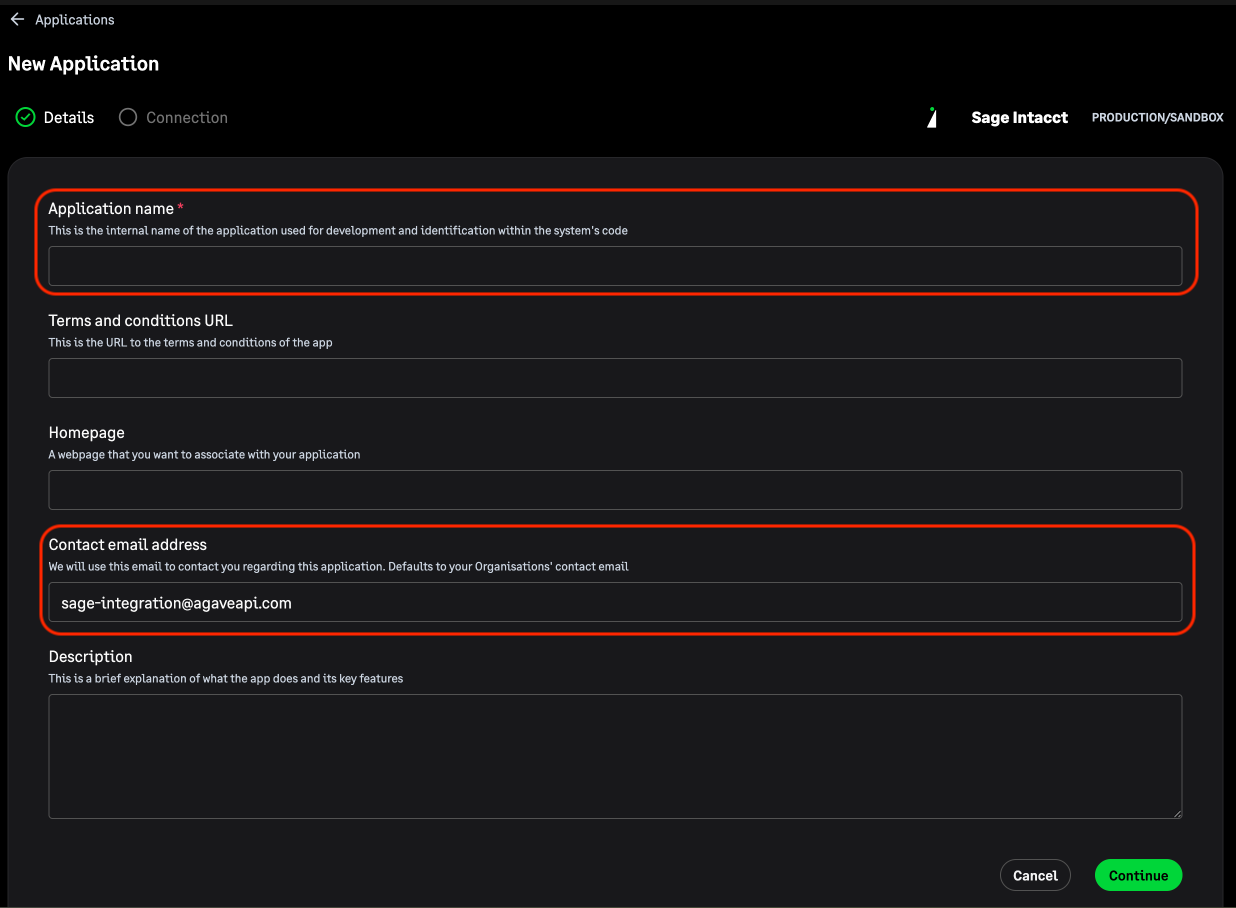
Enter "Agave Customer" as the Application Name and the your email address as the Contact Email Address.
-
Enter https://app.agaveapi.com/link/oauth-callback as the "redirect URI", set "Client Scope" to production, and your Sage Intacct Web Services "Sender Password" for the password. You can leave the "Async Callback URI" and "Allowed Origin Domains" blank.

-
Upon completion, you should recieve a GUID, Client ID, and Secret Key, which you can send to your Agave Implementation team to finish your authorization.
