Frequently Asked Questions
1. What CMiC environments do you support?
We support all CMiC instances, no matter if they are on-prem, using iPaaS, or cloud hosted.
We also support all the environments like train, test, conv, and prod.
You can see the hosting method and the environment you are on by looking at the URL you use to log into CMiC:
TK-img
2. What versions of CMiC do you support?
We support all the CMiC versions with API access (which you may need to buy as a separate package from CMiC).
For Patch 19 and after, you would need to grant access to Agave in the "API Security Screen". See more docs below.
3. Where can I get the "client ID"?
It's the same thing you put into the CMiC login screen. If your login screen doesn't contain this field, just leave it blank.
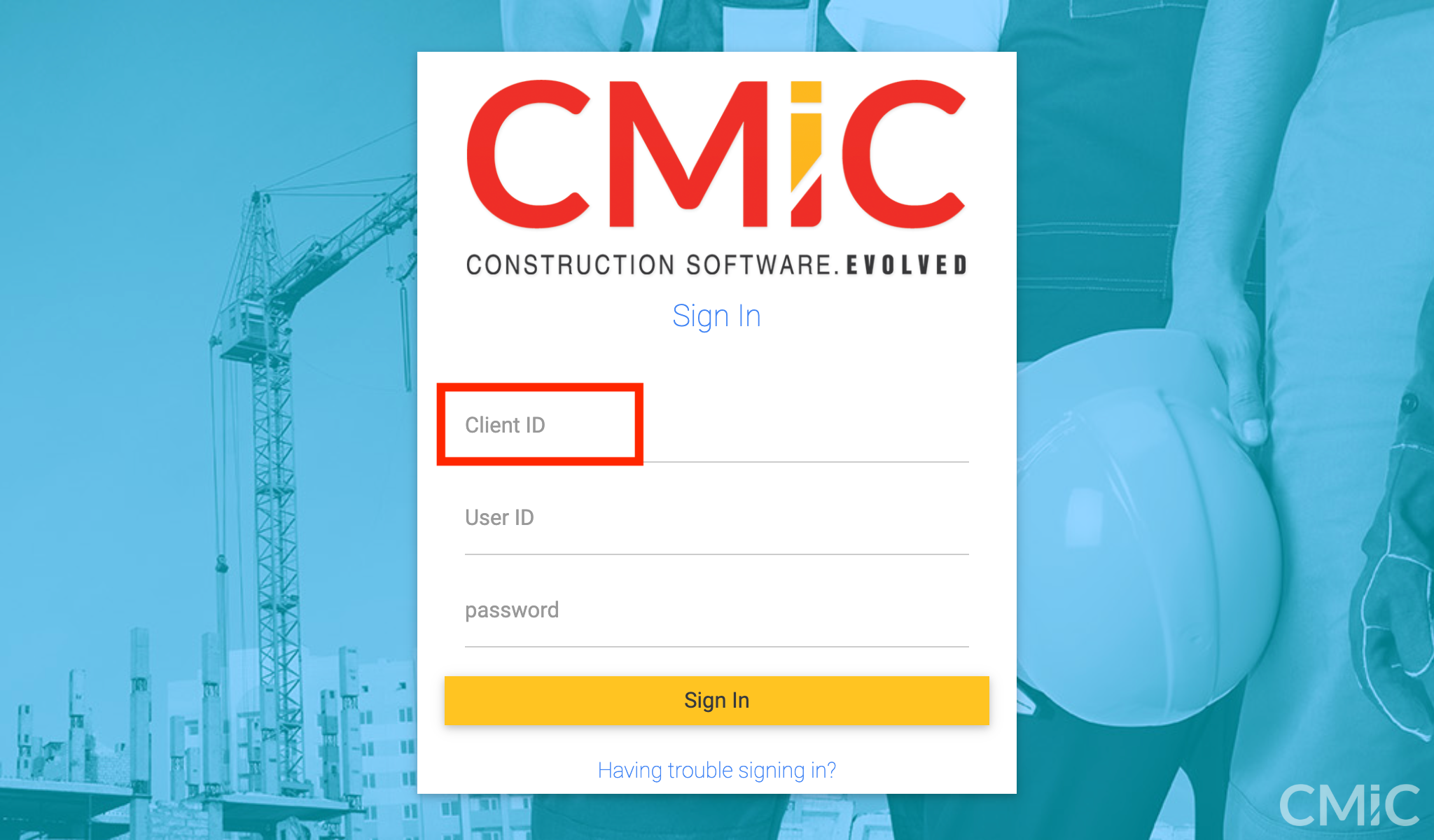
If you use SSO and/or skip the CMiC login screen, reach out to your CMiC consultant for the client ID info.
4. How can I set up a user for the integration?
Agave can work with any user you have in CMiC, so you could use an existing user account. That said, we do recommend setting up a dedicated user account for Agave for clarity and permission-setting.
You can do so by adding a new user in the "User Maintenance" Screen:
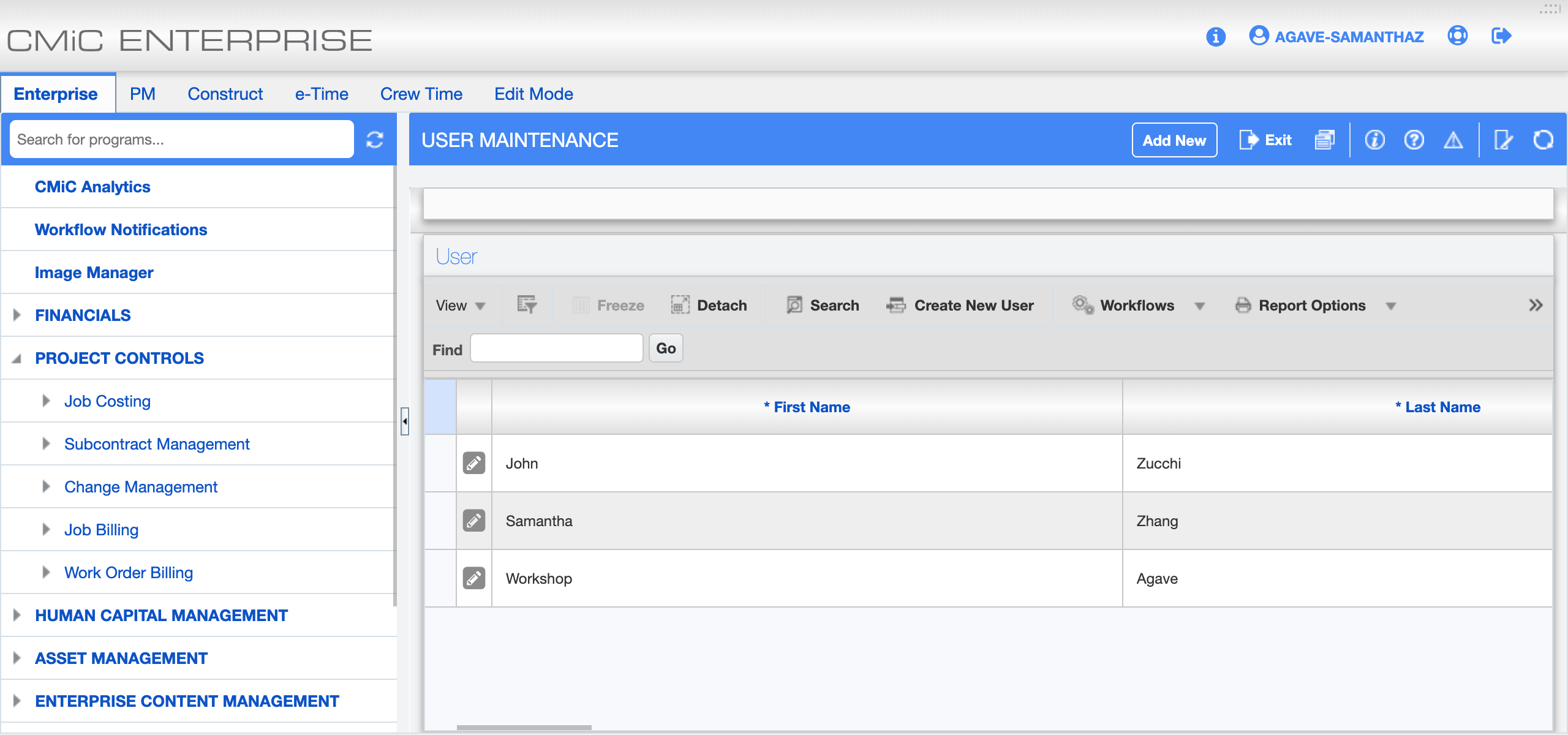
See more in CMiC's official docs.
5. Is there an additional cost to adding a dedicated user?
The Agave account will occupy a CMiC license. So if you don't have additional licenses, you may need to re-purpose one of your existing licenses or pay for a new one.
6. Do you support SSO (Single Sign-On)?
Agave doesn't support SSO for CMiC. You can find the username and credential in CMiC's "User Maintenance" screen for Agave, even if the user is using SSO to log into the CMiC website.
7. What should I do to get the API enabled?
Reach out to your CMiC rep.
8. Is there an additional cost to an API license?
There can be. Reach out to your CMiC rep for that info.
9. What API permission should I give in the "API Security Screen"?
Since Patch 19, CMiC added the "API Security Screen" to control the permission a user has to different API endpoints.
See CMiC's official docs for detailed tutorial and step-by-step setup guide.
Here's all the APIs Agave uses, you can grant access to the ones you want us to use.
| Application | Endpoint | API Description | Insert | Update | Delete | Query |
|---|---|---|---|---|---|---|
| AP-REST-API | apallvouchers | All Vouchers (Query only) | N | N | N | Y |
| AP-REST-API | apinsurance | Vendor Insurances/Compliances | Y | Y | Y | Y |
| AP-REST-API | apreginv | Registered Invoices | Y | Y | Y | Y |
| AP-REST-API | apreginvdetails | Registered Invoice Distributions | N | N | N | Y |
| AP-REST-API | apvendor | Vendors | Y | Y | Y | Y |
| AP-REST-API | apvoucher | SC RFP Based Vouchers | Y | N | N | Y |
| AP-REST-API | scrfpdetail | Subcontract Request for Payment Details | N | N | N | Y |
| AR-REST-API | arcustomer | Customers | Y | Y | Y | Y |
| AR-REST-API | artaxitems | Tax Codes | Y | Y | Y | Y |
| AR-REST-API | arinvoice | Invoices | Y | Y | Y | Y |
| CM-REST-API | cmdetail | PCI Details | Y | Y | Y | Y |
| CM-REST-API | cmmast | PCI Masters | Y | Y | Y | Y |
| CM-REST-API | cmstatus | PCI Status Code | Y | Y | N | Y |
| CM-REST-API | cmownerchangeorder | Owner Change Orders | Y | Y | N | Y |
| CM-REST-API | cmtype | PCI Types | Y | Y | Y | Y |
| EM-REST-API | emequipment | Equipment | Y | Y | Y | Y |
| GL-REST-API | glcompany | Companies | N | N | N | Y |
| HCM-REST-API | pyemptimesheet | PY Generic Timesheets | Y | Y | N | Y |
| HCM-REST-API | pyemployee | PY Employee | Y | N | N | Y |
| JC-REST-API | jcmastercategories | Master Categories | N | N | N | Y |
| JC-REST-API | jcjobcostcodes | Job Phases/Cost Codes | N | N | N | Y |
| JC-REST-API | jcjobcategory | Job Categories | Y | Y | Y | Y |
| JC-REST-API | jcjob | Jobs | Y | Y | N | Y |
| JC-REST-API | jcmastercostcodes | Master Phases/Cost Codes | Y | Y | N | Y |
| PM-REST-API | pmprojcontact | Project Contacts | N | N | N | Y |
| PM-REST-API | pmproject | Projects | Y | Y | N | Y |
| PM-REST-API | pmprojpartner | Project Partners | Y | Y | N | Y |
| PM-REST-API | scmast | Subcontract Headers | Y | Y | N | Y |
| PM-REST-API | scsched | Subcontract Details | Y | Y | N | Y |
| SYS-REST-API | term | Payment Terms | Y | Y | Y | Y |
| SYS-REST-API | weightmeasure | Weight Measures | Y | Y | N | Y |